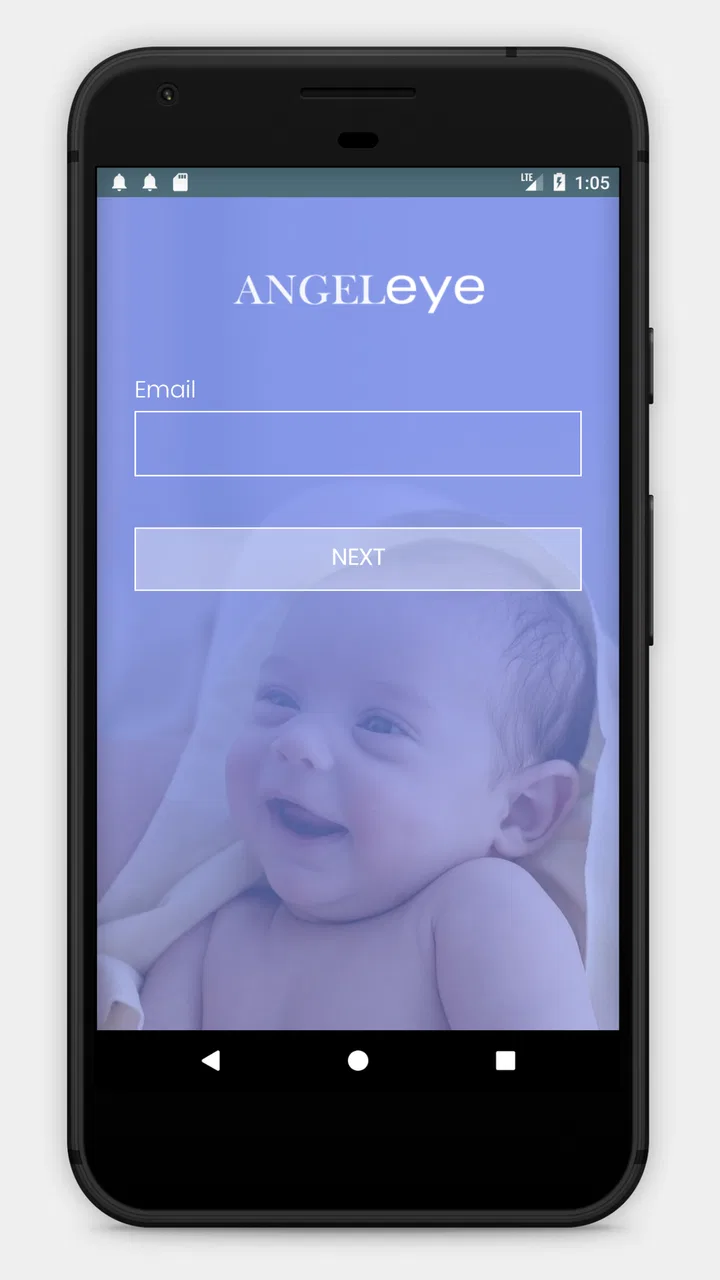
Angel Eye Mobile
- 4.2
- Rating
- 100.00K
- Installs
- Free
- Price

 Analysis by App-foxy
Angel Eye Mobile is a medical app with a very specific purpose: it forms part of the Angel Eye Camera Systems Communication Platform, developed by AngelEye Health. I approached it less like a general health tool and more like a focused communication companion connected to a clinical camera system. That distinction matters, because its usefulness depends heavily on whether the hospital or care team you are dealing with uses the wider Angel Eye setup.
My first impression was that this is not an app you install casually to browse health advice, track symptoms, or replace a conversation with a doctor. Its value is tied to an existing care situation. For a parent or family member who has been given access through a participating clinical environment, that focused design can feel reassuring. For someone looking for an independent medical reference or a general family-health organizer, it is the wrong category of tool.
What the first week feels like
The first week is where the app has the strongest emotional impact. When a loved one is receiving care and a camera communication system is involved, having a mobile point of contact can make the situation feel less disconnected. I found the appeal less about entertainment or convenience in the usual app sense and more about reducing the feeling of being completely outside the care setting.
You May Also Like

 Blood Strike: 2.5 Anniversary
Blood Strike’s Loadouts Turn Every Drop Into a Tactical Gamble
A close look at Blood Strike’s custom loadouts: how fast access to signature weapons reshapes its battle royale rhythm, rewards preparation, and narrows the gap between fights.

 Pandora - Music & Podcasts
Pandora’s Music Is Easy to Start, but Harder to Recover
Pandora’s strength is its low-effort path from a seed to a station. Its weak spot is how much confidence it asks you to place in connection, setup, and quiet recovery.

 8 Ball Pool
 Is Built on Rivalries, Rematches, and Routine
A close look at the rivalries, rematches, shared routines, and unanswered safety questions that turn a quick pool match into a persistent mobile community.

 Samsung Music
’s Quiet Strength Is Playing What You Already Own
Its reach comes less from spectacle than from dependable access to a personal library. That simplicity is both the app’s strongest retention engine and its ceiling.

 AccuWeather: Weather Radar
AccuWeather Review: A Quick, Clear Forecast for Everyday Decisions
For everyday plans, the best forecast is the one you can understand quickly. AccuWeather makes rain timing, radar, and local conditions easy to act on, with a few trade-offs.

 Hill Climb Racing
Why Hill Climb Racing Still Turns Crashes Into One More Run
A tiny car, a bumpy hill and one more upgrade: Hill Climb Racing keeps resurfacing because its simple chaos makes every near-miss feel personal.
More From Our News Desk



That benefit is easy to misunderstand. Angel Eye Mobile is not a substitute for being present, speaking with clinicians, or following the instructions of the medical team. I would treat it as one channel within a larger care arrangement. The app can support awareness and communication, but it should not become the reason someone delays contacting staff about a concern.
The setup experience also depends on circumstances outside the phone itself. A normal consumer app can usually be judged by whether it works immediately after installation. Here, the important question is whether your care provider has enabled the relevant Angel Eye Camera Systems service and whether your account or access details are ready. That makes the first week feel different from using an ordinary medical diary or appointment app.
AngelEye Health presents the app as Angel Eye Mobile, and the current release is version 5.13.1. It supports Android devices starting with Android 5.0, which gives it a broad compatibility range for older phones. That is useful in a family situation where not everyone has a recent handset, although compatibility alone does not guarantee that the surrounding hospital system will be available to every user.
I would recommend beginning with a simple routine rather than checking constantly. Open the app at agreed times, use it when you need the communication function, and keep direct questions for the appropriate clinical channel. This prevents the phone from becoming another source of anxiety. In a stressful medical situation, unlimited checking can feel like control while actually making every delay or unavailable view more noticeable.
A realistic everyday scenario would be a parent who has returned home after visiting a baby receiving hospital care. Instead of relying only on memory from the visit, the parent can use the mobile connection associated with the Angel Eye system as part of staying informed. The practical value is not that the app solves the situation; it is that it can help maintain a sense of connection between visits.
That scenario also shows the first important trade-off. Remote access may be comforting, but it can make the distance feel more immediate when the user sees something they do not understand. I would advise treating what appears through the system as context, not as a diagnosis. If something worries you, the right next step is to contact the care team rather than interpreting the app alone.
Who benefits quickly, and who does not
The best match is someone who has a direct reason to use the Angel Eye Camera Systems Communication Platform. That could include a family member trying to stay connected during a hospital stay, particularly when regular physical visits are difficult. The app is also more suitable for people who can follow a care team’s instructions and understand that mobile communication sits alongside professional care.
I would skip it if you are searching for medication reminders, symptom analysis, exercise tracking, telehealth appointments, or a general medical encyclopedia. Those expectations would lead to disappointment because the app’s identity is narrower. A general health app may be better for personal records, while a hospital’s own patient portal may be better for appointments, test results, or billing if those are your priorities.
The age classification is Teen, and the app is free to install. Those details make it accessible in a basic sense, but they do not remove the need for adult judgment in a medical setting. A teenager may be able to use the app, yet the family should still agree on who is responsible for interpreting information and communicating with clinicians.
Why the novelty can fade after the first month
The first emotional lift can be strong because the app answers an immediate question: “How can I stay connected?” After the initial period, its lasting value depends on whether it becomes part of a sensible communication habit. If the care situation changes, access ends, or the family no longer needs the camera platform, the app may have little reason to remain on the phone.
That is not necessarily a weakness. A specialized medical tool should not pretend to be useful every day forever. Its success is better measured by whether it serves the relevant period of care clearly and responsibly. I would rather have a focused app that becomes unnecessary when the situation improves than a broad app that keeps users engaged without a meaningful purpose.
For ongoing use, I think the strongest habit is scheduled rather than compulsive. Decide when checking is helpful, note questions for the care team, and avoid treating every view as a signal that requires action. This approach turns the app into a support tool instead of a constant alert source. It also helps several family members avoid duplicating the same questions or drawing different conclusions from the same information.
One less obvious advantage of this kind of focused workflow is that it can help separate observation from interpretation. A family member can notice what they need to ask about, then bring that question to a professional. That is safer than searching the wider internet after every unfamiliar medical detail. The app does not need to provide every answer to be useful; it can help keep communication connected to the actual care environment.
Another practical tip is to decide in advance what the app is allowed to replace and what it is not. It may reduce uncertainty between visits, but it should not replace emergency contact procedures, discharge instructions, or conversations with nurses and doctors. Writing that boundary down for the family can prevent a common mistake: assuming that a mobile connection means the care team is watching the phone continuously.
The maintenance burden is mostly human
With many apps, maintenance means clearing storage, managing notifications, or dealing with frequent account prompts. With Angel Eye Mobile, the larger burden is likely behavioral and situational. Users need to remember the role of the app, keep expectations realistic, and maintain a clear route to the care team when something needs professional attention.
That makes the app easier to live with when the family agrees on a routine. A single person can monitor the communication channel and share important updates, or several relatives can use it with clear boundaries. Without that agreement, the app may create more conversations rather than fewer, especially when different people check at different times and react emotionally to what they see.
I would also keep the phone environment calm. Medical notifications can feel urgent even when they are not, so users should think carefully about which alerts deserve immediate attention and which can wait for a planned check. Since the exact experience can depend on the connected clinical system, I would follow the hospital’s instructions instead of assuming that a setting works the same way as it would in a normal messaging app.
Privacy is another reason to use the app deliberately. A medical communication tool should be opened and discussed with the same care as other sensitive health information. I would avoid sharing access casually, leaving the phone unlocked in public, or forwarding medical context to people who are not part of the family’s agreed support circle. These are simple habits, but they matter more than cosmetic customization when an app is connected to real care.
The app’s free price removes one barrier, but free does not mean effortless. The real cost can be attention. If a family keeps checking without gaining useful information, the app may increase stress. If they use it to support a defined communication plan, the same tool can feel much lighter. That difference is why I would judge the experience by the routine around it, not just by the installation screen.
Where fatigue and frustration can appear
The biggest source of fatigue is uncertainty about what the mobile view means. A camera-based communication platform can make people feel close to a situation while still leaving them without the clinical context to interpret it. That gap can be emotionally difficult. The app may show connection, but it cannot remove every question that comes with a hospital stay.
There is also the possibility of technical friction outside the app. A phone can be compatible, yet the account may not be ready, the connected system may not be available at a particular moment, or the care team may have a different process for communication. I would not judge every interruption as a failure of the mobile software, but from a user’s perspective the distinction may not matter when they are already worried.
This is where Angel Eye Mobile compares differently with usual alternatives. A general video-calling app may feel more familiar and flexible, but it is not automatically connected to a clinical camera system. A patient portal may provide formal records and appointments, but it may not serve the same camera-related communication role. A simple phone call can be more appropriate when an urgent answer is needed. In my view, this app is strongest when used for its specific connection, not when forced to compete with every other medical communication method.
Another fatigue point is that the app may become a reminder of an ongoing medical crisis. Some users will find the connection comforting; others may feel that opening the app keeps them mentally inside the hospital all day. If checking it leaves you more distressed and does not produce a clear benefit, reducing use or asking the care team for a different communication routine may be healthier.
Families should also be careful not to turn remote observation into a substitute for consent and conversation. The person receiving care, where appropriate, should be considered in decisions about who uses the app and how information is shared. A convenient mobile channel still belongs inside a respectful care relationship.
What the public response suggests
Angel Eye Mobile has an average rating of 4.2 from around 2.5 thousand ratings, with more than 800 written reviews. I read that overall response as a sign of meaningful value mixed with the kind of variable experience you would expect from a specialized medical platform. A rating in that range is encouraging, but it should not be treated as proof that every hospital setup or family workflow will feel identical.
The app has passed 100 thousand installs, which gives it a substantial presence for such a focused medical product. That does not turn it into a universal health app, but it does suggest that the use case is important to a sizeable group of families and care environments. I would still place more weight on whether your provider uses the connected system than on popularity alone.
When judging reviews for this type of app, I would pay attention to comments about access, connection, clarity, and communication rather than expecting the same criteria used for a fitness app. A complaint about a missing clinical connection may reflect the surrounding setup, while praise about staying connected may depend on a particular care journey. The context behind the review matters.
Does it earn a permanent place on the phone?
My long-term verdict is conditional but positive. Angel Eye Mobile earns space while it serves an active need connected to the Angel Eye Camera Systems Communication Platform. During that period, it can provide a useful bridge between home, visits, and the care environment. Its best quality is not breadth; it is the fact that it focuses on a meaningful communication problem.
Once that care need ends, I would not keep it installed out of habit. This is one of those apps whose usefulness can be temporary without being unimportant. Removing it later is not a sign that it failed. It means the situation that justified it has changed. That is healthier than collecting medical apps that no longer serve a purpose.
I recommend it to families who have been directed to use the Angel Eye system and want a mobile connection that fits into a careful communication routine. I do not recommend installing it simply because you want a general medical companion. For that, a patient portal, a trusted clinical service, or a standard health organizer may be a better match.
The lasting value comes from disciplined use, not constant checking. If you keep the app inside clear boundaries, use professional channels for urgent concerns, and accept that its usefulness depends on the connected care setting, it can remain genuinely helpful beyond the first-week novelty. If those conditions are not present, its narrow purpose becomes a limitation rather than a strength.
Overall, I see Angel Eye Mobile as a specialized free medical app from AngelEye Health that does one important job rather than trying to become an all-purpose health platform. Its Teen content rating and support for older Android phones make the basic entry point approachable, while its real usefulness depends on clinical access and family habits. For the right user, that focus is exactly why it deserves a place on the phone.
FAQs for Angel Eye Mobile
01What is Angel Eye Mobile, and who is it designed for?
Angel Eye Mobile is a companion application for families who want to stay connected with a baby receiving care in a participating hospital or neonatal unit. After the hospital enables access, authorized parents or guardians may be able to view updates, receive information, and use supported communication features from a mobile device. Availability depends on the hospital’s Angel Eye system and its specific policies.
02How do I sign in or gain access to Angel Eye Mobile?
Access is generally provided through a hospital or care facility using the Angel Eye platform. You may need an invitation, registration instructions, an approved email address, or credentials supplied by hospital staff. Downloading the app alone does not necessarily create an account or provide access. If you cannot sign in, contact the participating hospital rather than creating multiple accounts or sharing someone else’s credentials.
03Can I watch my baby through Angel Eye Mobile at any time?
The app may provide video or other remote connection features, but availability is controlled by the hospital and the equipment installed at the bedside. Camera access can be paused for medical procedures, privacy reasons, maintenance, or changes in care. Video quality and connection stability also depend on your internet service and the hospital network, so the app should not be treated as a guaranteed live connection.
04Is Angel Eye Mobile secure and private to use?
Angel Eye Mobile is intended for authorized family access to sensitive patient-related information, so users should protect their login details and use a secure device. Do not share passwords, screenshots, or access links with unauthorized people. Privacy controls and data handling may vary according to the hospital’s setup and applicable policies. Review the facility’s guidance and sign out when using a shared phone or tablet.
05What should I do if the app is not working or I cannot see updates?
First, check that your device has a reliable internet connection, the application is updated, and notifications or required permissions are enabled. Closing and reopening the app may resolve temporary problems, but access issues can also result from hospital-side settings, camera availability, or account authorization. If the problem continues, contact the hospital’s Angel Eye support team, since they can verify your account and the bedside system.
Pros
- Live video lets you check your baby remotely from almost anywhere.
- Motion and sound alerts can help you notice activity quickly.
- Two-way audio supports soothing or talking to your baby from another room.
- Night vision makes monitoring possible in low-light conditions.
- Useful for parents who want a dedicated baby-monitoring solution.
Cons
- Requires a compatible Angel Eye camera and a stable internet connection.
- Video quality may vary with Wi-Fi strength and network congestion.
- Alerts can become distracting when background noise triggers them.
- Remote monitoring may raise privacy concerns for some families.
- Battery use can increase when watching live video for long periods.

Angel Eye Mobile
Gallery